Protect Your Computer
Install firewall software
You should install or configure a personal firewall on your computer to create a security barrier between your computer and the Internet. If you are using Windows XP, enable the "Windows Firewall".
Install anti-virus software
You should install anti-virus software to protect your computer against malicious software and ensure you keep it updated. You should regularly scan your computer for viruses.
Protect yourself from spyware
Be careful to avoid installing spyware on your computer, which can transmit information (including your Access Code) to third-parties without your knowledge. To avoid downloading spyware, don't open unknown email attachments, click on links in emails or visit questionable websites.
Keep your computer software updated
Computer operating systems are complex and vendors regularly release patches to fix security weaknesses. You should regularly update your computer's software from the vendor's website. If you are using Windows XP, enable the "Automatic Updates" feature. You should also ensure you use the latest version of your web browser.
You should also regularly scan your computer using specialist anti-spyware software such as:*
*These links are provided for convenience only and do not represent an endorsement by ING DIRECT of the content, products or services offered by these companies.
Protect Your Identity
Be aware of phishing emails
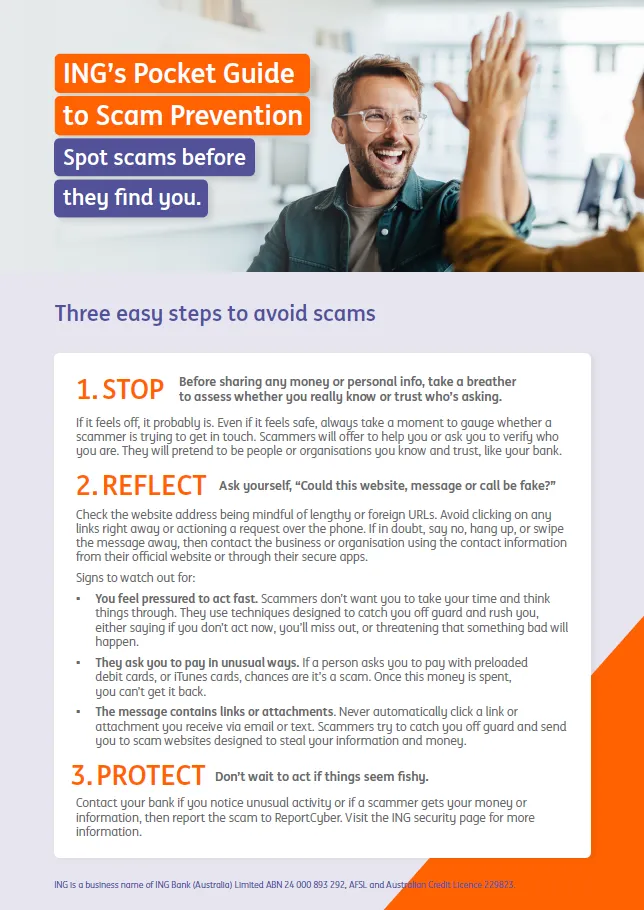
Phishing is a term used to describe the method used by criminals to lure customers into disclosing their banking login and other personal details by sending out hoax emails linking to fake websites. These emails look like they came from your bank, but they did not, and clicking on the link inside the email may take you to a fake website or install malicious software onto your computer.
If you wish to report a suspicious ING DIRECT email please forward the email to us (as an attachment where possible) at hoax@ingdirect.com.au. If you are unsure about an email you have received, you can contact us on 133 464 (+61 2 9028 4077 from overseas) 24 hours, 7 days."
Don't click on links or attachments in emails
To help protect yourself against phishing, follow these guidelines:
- Don't click on links or attachments in emails that you were not expecting
- Don't provide any login details or personal information in response to an email
- Always access online banking by typing ingdirect.com.au into a new browser window (or use your favourites menu) and clicking on Online Banking
Note: ING DIRECT will never send you an email instructing you to click on a link to access online banking. We will also never ask for your login details or any personal information via email.
To identify a legitimate ING DIRECT email, look for the following:
- If you are a customer, the email will address you by your first or last name at the top of the email and will include your full name at the bottom of the email
- The email will never instruct you to click on a link to access online banking
- The email will never ask for your login details or any personal information
To ensure you receive ING DIRECT emails, add the domain @ingdirect.com.au to your safe senders list.
Social networking websites
Be careful about the amount of information you disclose about yourself on social networking websites such as Facebook and Myspace. Criminals may access these sites to gather identity information in order to steal your identity or access your bank accounts.
Shred unwanted papers
Regularly shred unwanted papers before disposing of them, especially papers containing personal details like name, address, phone number and date of birth. Examples include bank statements, bills and receipts.
Online shopping
Protect your personal information when shopping online by following these steps:
- Shop at secure websites and ensure you are on the correct website by checking the address
- Read the website’s privacy and security policies
- Pay by credit card where possible
- Provide only necessary information about yourself
- Save all transaction details
- Keep your password private
- Beware of deals that look too good to be true
Secure Online Banking
Log out when finished online banking
Never leave your computer unattended while logged onto online banking - you should logout of your online banking session as soon as you have finished.
Avoid using shared computers
Avoid using computers that are shared with other unknown people, such as at Internet Cafes and libraries, for online banking. If you do access online banking at one of these places, you should change your Access Code as soon as possible afterwards.
Protect your Access Code
- Choose an Access Code that is difficult to guess
- Do not select an Access Code that consists of repeated, ascending or descending numbers, or numbers that are associated with your birth date, Client Number or an alphabetic code which is a recognisable part of your name
- Don't share your Access Code with anyone else
- If you record your Access Code, store it in a safe place, separate from your Client Number
- Change your Access Code regularly
Avoid Aggregation sites
Don't provide your Access Code to another website for the purposes of account aggregation.
Verify the ING DIRECT website
With the threat of phishing and hoax websites designed to steal your login details, it is important to ensure you are accessing the genuine ING DIRECT website. Follow these simple steps.
- Always try to access the ING DIRECT website by typing "ingdirect.com.au" into a new browser window. You may set a bookmark (or favourite) after doing this to save you time when returning to the website.
- Ensure the address bar reads ingdirect.com.au or www.ingdirect.com.au.
- When signing in to ING DIRECT online banking, ensure that there is a padlock icon on the bottom corner of your browser window.
- Look for the green address bar when accessing ING DIRECT online banking, when you use compatible web browsers.
- When you successfully sign in to ING DIRECT online banking, ensure you are greeted by your title and surname on the Welcome screen; this will verify that you are using the correct ING DIRECT website.
- The Welcome screen will also display your last sign-in date and time. You should check this and if it is not correct please contact us immediately on 133 464 (+61 2 9028 4077 from overseas) 24 hours, 7 days.
- If you see any unusual changes to the ING DIRECT online banking website, such as suspicious questions appearing asking for confidential information, please contact us immediately on 133 464 (+61 2 9028 4077 from overseas) 24 hours, 7 days.
Keep ING DIRECT updated with your details
It is important that we have accurate contact details for you at all times, in the event we need to contact you. You can update your contact details online or via our Contact Centre on 133 464 (24 hours, 7 days).
Check your statements
Regularly check your statement (or your online transaction history) for unauthorised transactions. Let us know immediately if you detect any unauthorised transactions on 133 464 (24 hours, 7 days).